whoburnedmore for macOS
Your token burn, live in the menu bar.
A ring per provider, forecasts, and live usage for Claude Code, Codex, Cursor and friends. On-device. Free. Open source.
Download for macOS
macOS 14+ · v0.8.3 · release notes
◍whoburnedmoreFileEditView
147.7M · 53% · 3h 12m2:41
one, two, or three metrics · your choice
147.7M
today's burn
tokens spent so far today
·53%
session used
% of your 5-hour window
·3h 12m
resets in
when the window rolls over
2:41
Limits
usage ↗53%
Claude
3h 12m
71%
Codex
2h 04m
Claude
5h window
53%
weekly
78%
Fable weekly
92%
Codex
session
71%
weekly
31%
credits$12.50 left
Burn
147.7M
today · $318
3.6B
this week · $3,064
8
day streak
Top tools today
claude288.9M
codex98.6M
claude-opus-4-8 · gpt-5.6-sol · claude-fable-5
Today's leaderboardliveopen ↗
Token Pilot1.2B
#2Ship Daily986.4M
•••
#12Prompt Smith162.9M
#13Arhamyou147.7M
#14Build Loop139.1M
@arhamamiin · today #13daily tokens
A ring per provider
how close each tool is to its cap — green, amber, red at a glance
Per-provider detail
every window that tool has: 5-hour, weekly, per-model, credits
Burn
tokens & cost today and this week, plus your day streak
Your rank
where you sit on the public whoburnedmore leaderboard
scroll to zoom in↓
Every pixel is a preference.
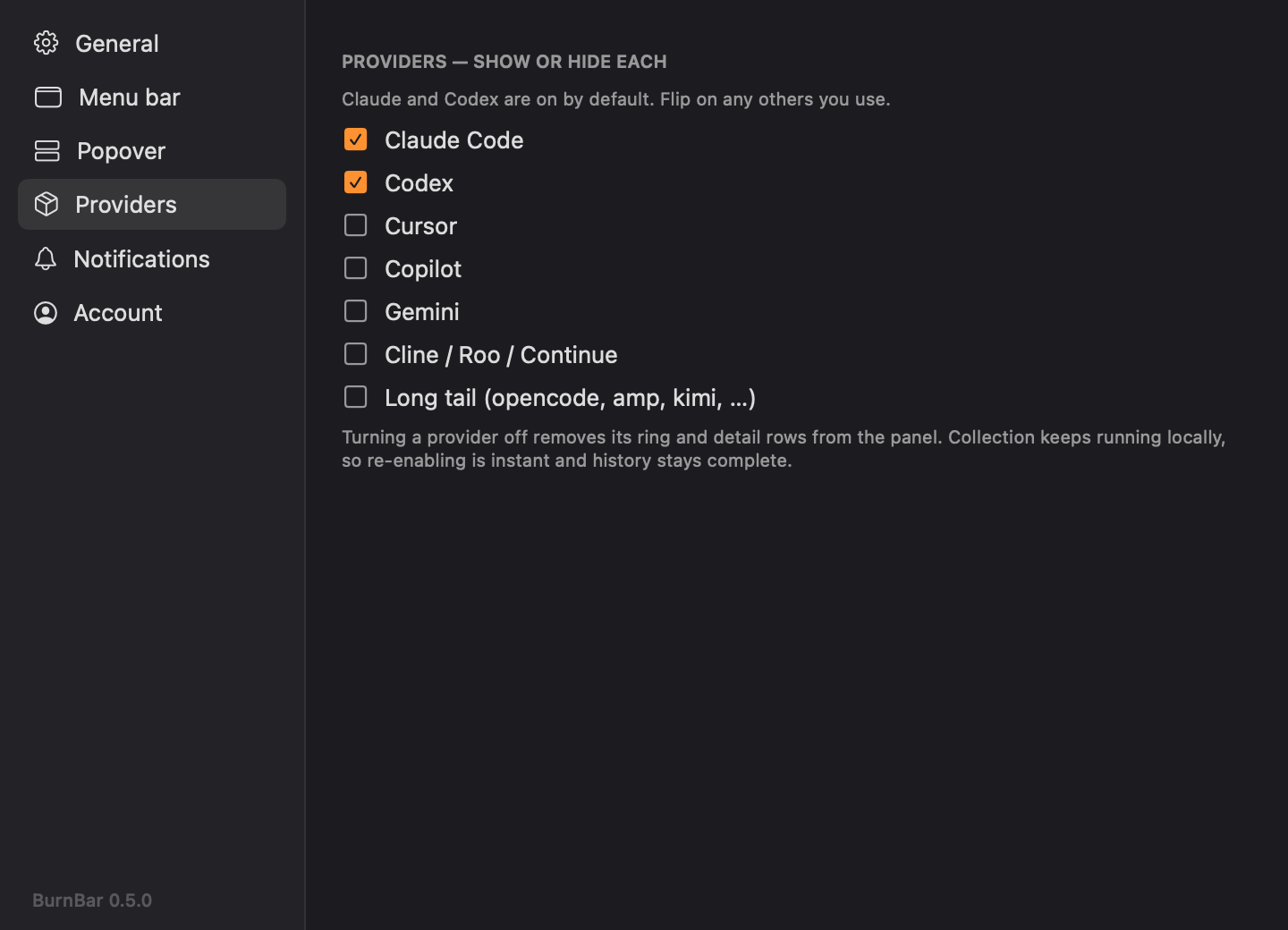
A real settings window — General, Menu bar, Popover, Providers, Notifications and Account. Build your bar, pick which providers show, choose what leads, set your alert thresholds. Nothing is fixed.
Questions, answered.
- Is whoburnedmore free?
- Yes — whoburnedmore is free and open source (MIT). No account, no subscription, no telemetry. You can read or build the source yourself.
- Which AI coding tools does it track?
- Claude Code, Codex, Cursor, Gemini, GitHub Copilot, and Cline / Roo / Continue, plus a long tail of others (opencode, amp, kimi and more). Claude and Codex are on by default; the rest are one toggle away.
- How does it read my usage — is it private?
- Everything is parsed on your Mac from the logs your tools already write, plus Claude's and Codex's own limit endpoints. Nothing leaves your machine unless you opt in to the whoburnedmore leaderboard.
- Does it show my remaining limits, not just tokens?
- Yes. Each provider gets a ring for its live limit — Claude's 5-hour and weekly windows, Codex's session and credits — each with a reset countdown and a pace forecast that warns before you hit the cap.
- What are the requirements?
- macOS 14 (Sonoma) or later, on Apple Silicon or Intel. Download the DMG, drag whoburnedmore to Applications, and it finds your tools on its own.
- How is this different from ccusage?
- whoburnedmore lives in your menu bar and is always-on and glanceable — live token burn AND remaining limits across every tool, with forecasts and alerts, instead of a one-off terminal command.
Two clicks from now, it's ticking.
Download, drag to Applications, done. It finds your tools on its own — connecting the leaderboard is optional, any time.